
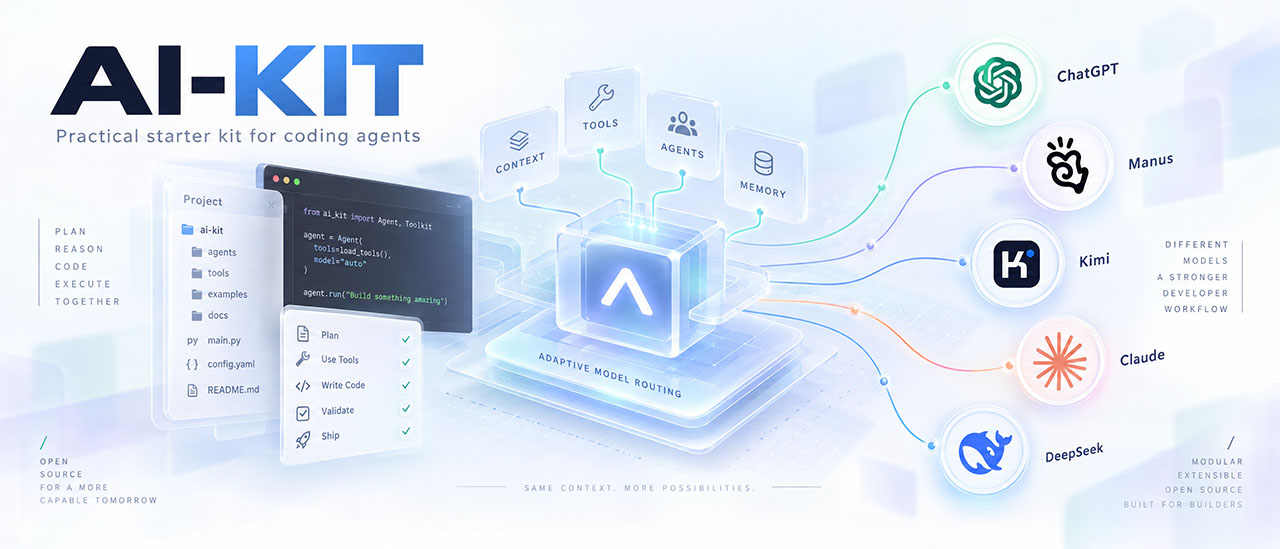
Stop re-explaining your project to every new AI chat.
AI-KIT gives your coding agents persistent project memory, expert stack rules, Kubernetes-ready containers, adaptive model routing, and native configuration for 11 AI clients. Add Cloudflare security-audit for structured security review and Strix for scoped pentesting workflows. One offline installer, zero installer dependencies, changes previewed before you apply them.






| 🐳 Docker image | 🐍 Python package |
|---|---|
| Run AI-KIT in a ready-made container. Includes Python, Git, the CLI, project templates and optional integration resources. No host Python installation needed. | Install AI-KIT directly in your Python environment. The ai-kit-python package provides the aikit command, project templates and optional integration resources. |
Requires: Docker with Linux containers. Published platform: linux/amd64. |
Requires: Python 3.10+. No mandatory third-party runtime dependencies. |
Download: docker pull tigusigalpa/ai-kit:1.4.4 |
Install or update: python -m pip install --upgrade ai-kit-python |
Try the CLI: docker run --rm tigusigalpa/ai-kit:1.4.4 --help |
Try the CLI: aikit --help |
| Open Docker Hub → · Project mount and launch examples | Open PyPI → · Windows setup and troubleshooting |
Both distributions provide the AI-KIT CLI: preview installation into your project, apply the reviewed changes, then bootstrap your coding agent. Published Docker image: 1.4.4. Published PyPI package: 1.4.4. Registry files and a fresh installation from PyPI are verified; publication record.
v1.4.4: optional orchestration, native Codex helper configurations and a budgeted OpenRouter text executor are available in source, the Python package and the Docker image.
Publication verified on 2026-10-18: the GitHub Release → checks → your approval → PyPI workflow completed successfully. Both PyPI file hashes match the tested workflow artifacts; installation from PyPI in a clean environment, CLI version and the bundled kit check passed. The Docker registry digest and configuration also match the tested image. PyPI verification · Docker verification. Earlier published versions remain intact.
Features · Shared context · Web Design · Windows guide · Docker CLI · Security workflows · Context7 · OpenRouter · Quick start · Stacks · Presets · Update
| Feature | What it does for you | |
|---|---|---|
| 🧠 | Project memory | Verified facts, module map, commands, and decisions that every new chat reads first |
| 🧩 | Stack profiles | Expert rules for Go, PHP, Laravel, Filament 5, Moodle, Python, Rust, .NET, Java, Terraform/Helm, frontend, and libraries, auto-detected per module |
| 🐳 | Kubernetes-ready containers | Every new Dockerfile and service ships with probes, graceful shutdown, non-root security, and manifests |
| 🧭 | Adaptive model routing | A 0-6 capability ladder that picks the right model role and reasoning effort for each task |
| 🤖 | 11 AI clients | Codex, Claude Code, Cursor, Copilot, Gemini CLI, Windsurf, Cline, Roo, Aider, Kimi, Manus — with documentation evidence and lifecycle reporting |
| 🎯 | Native client configuration | Your real test commands run without prompts; module rules load only where they apply |
| 🛡️ | Guardrails | No commits without your request, confirmation before destructive commands, secret files off-limits |
| 🔐 | Optional security workflows | Cloudflare's audit method and nine Strix skills, pinned and invoked explicitly in Codex or Claude Code |
| 🎨 | Optional Web Design | Annotated references and a brief become a coherent visual system, stack-aware implementation and recorded UI acceptance; includes a dedicated Blade route |
| 🔁 | Engineering loop | Plan → implement → test → review → document, with honest reporting of what was really checked |
| ⚡ | One-command workflows | /ai-kit-bootstrap, /ai-kit-review, /ai-kit-sync-context |
| 📦 | Safe installer and upgrades | Preview first, offline, backups, conflict candidates, explicit unchanged-adapter retirement, your local edits preserved |
| 🐋 | Docker CLI image | Run the bundled installer and helpers without host Python; mount your project, preview changes and apply explicitly |
| 🗂️ | Shared dialogue context | Import two conversations locally, review conflicting claims and export the same reference state for ChatGPT and OpenRouter |
AI-KIT preserves facts and decisions, points agents at real checks and records authorization boundaries:
- Project knowledge: manifests draft module facts and commands; bootstrap verifies them.
- Stack depth: relevant profiles cover framework authorization, transactions, cancellation, privacy and infrastructure review.
- Your authority: explicit commits/pushes, optional risky-command guards and secret exclusions.
- Visible evidence: unavailable checks remain unverified.
flowchart LR
    A[install.py preview] --> B[apply]
    B --> C["/ai-kit-bootstrap"]
    C --> D[plan → implement → test → review → document]
    D --> E["/ai-kit-sync-context"]
    E --> D
- Verified context: PROJECT_CONTEXT and project.json hold contracts, module facts, commands and unknowns.
- Manifest drafts: Go, Composer, Node, Python and Moodle evidence suggests versions and module commands until bootstrap confirms them.
- Session start: an optional Claude hook reads context and Git status.
- Continuity: decisions, ADRs and changelog preserve reasons; the continuity skill keeps context and pointers synchronized.
| Profile | What the agent gets right |
|---|---|
| Go | Context propagation, timeouts, error wrapping, goroutine ownership, -race, govulncheck, deliberate vendoring |
| PHP | Composer and PSR boundaries, exact money, bounded HTTP, narrow exceptions, composer audit |
| Laravel | Policies, bounded transactions, after-commit jobs, idempotent effects, N+1 checks, safe migrations |
| Filament 5 | Resources, schemas, tables, and actions with server-side authorization, tenant scope, and bounded queries |
| Moodle | Plugin APIs, capabilities and sesskey, upgrade savepoints, Privacy API, cache invalidation |
| Python | Safe CLIs, pathlib, subprocess without a shell, isolated environments, uv/ruff for new packages |
| Frontend | Pinned package manager, type/lint/build checks, accessibility, public-config hygiene |
| Library/SDK | Public API stability, semantic versioning, consumer examples, compatibility matrices |
| Rust | Ownership and borrowing, unsafe discipline, Result errors, cargo fmt/clippy/test, lockfile hygiene |
| .NET | Nullable types, async with CancellationToken, deterministic disposal, dotnet build/test |
| Java | Maven/Gradle wrappers, exception boundaries, try-with-resources, wrapper test/verify |
| Terraform/Helm | Remote state, plan review, pinned providers and charts, fmt/validate and lint/template gates |
Profiles combine per module, so a monorepo with a Laravel app in web/ and a Go service in api/ gets the right rules in each place. Opinionated owner conventions for Laravel (no database foreign keys, public UUID beside the internal id, Policy + Factory + Seeder per model, one table per migration, Filament 5+ for new panels) are available; use --conventions standard to follow your project's own conventions instead.
New containers follow the Kubernetes-ready contract, including local Docker Compose projects:
- Images/runtime: pinned multi-stage images, build secrets outside layers, non-root execution, read-only root, exec entrypoints; no privileged mode or Docker socket.
- Lifecycle: startup/readiness/liveness probes, SIGTERM drain, migrations in separate Jobs.
- Deployment: ConfigMap/Secret, stdout logs, stateless replicas, PVCs where needed, dropped capabilities, seccomp and resource requests.
- Preflight/cleanup: verify Docker client and daemon. Cleanup needs verified disposable ownership and the 10 GB threshold;
scripts/docker_test_usage.pycollects evidence.
Pay for intelligence only where it matters. The routing policy maps every task to a capability level:
| Level | Task | Role / effort |
|---|---|---|
| 0-1 | Classification, narrow mechanical edits | cheap / none or low |
| 2 | Substantive engineering | work / medium |
| 3-5 | Hard debugging, concurrency, distributed or sensitive correctness | work / high to max |
| 6 | Diagnosed capability shortfall | escalation |
Provider configurations map roles to OpenAI, Anthropic, Kimi, and Gemini models, or your own local/Ollama models. The offline helper understands English and Russian task descriptions and explains its choice:
python scripts/router.py route "debug a race condition in the queue worker"router.py configure writes the resolved role mapping and a native Aider model file; router.py providers lists each provider's tier, status, and sources. The kit never fakes a model switch: when a client offers no switching control, you get a recommendation.
| Client | What gets installed |
|---|---|
| Codex | AGENTS.md and .agents/skills/ |
| Claude Code | CLAUDE.md importing AGENTS, skills, settings, path-scoped .claude/rules/ |
| Cursor | .cursor/rules/ with module globs, .cursorignore secrets |
| GitHub Copilot | copilot-instructions.md and per-module .instructions.md |
| Gemini CLI | GEMINI.md and .geminiignore; reads the shared skills |
| Windsurf, Cline, Roo | Native rule folders, with glob- or path-scoped module rules for Windsurf and Cline |
| Aider | CONVENTIONS.md and .aiderignore, plus model routing config |
| Kimi, Manus | Short entry files |
Scoped rules, ignore files, and settings come with the native-settings and scoped-rules extras. The preview spots the clients you already use from existing files and suggests the matching --agent list.
- Recorded checks: Claude allow rules cover test/lint/build commands.
- Secret exclusions: shared lists cover env files, keys, Composer auth, Laravel/Moodle credentials and .pypirc through selected client deny/ignore controls.
- Module scope: native rules select relevant guidance by file path.
- Owned entries: Claude settings merge by key, using local settings in private mode and moving only kit entries on mode switches.
- No surprise commits. Commits and pushes require your explicit request, and optional Claude Code ask rules back that up.
- Confirmation before damage. With data guards, Claude Code asks before
rm -rf,git reset --hard,git clean, a Docker prune, or a Laravel/Moodle migration. - Security baseline: input validation, server-side authorization, and no secrets in code, logs, or prompts. Dependency audits run per stack with
composer audit,govulncheck,pip-audit, and your package manager's audit. - Honest verification: unavailable tools, services, or CI are reported as unverified, never as passed.
Every task follows plan → implement → test → review → document, with staged migrations and rollback plans, review by concrete scenario and severity, and a changelog entry for every change. Owner conventions add a Codecov gate of at least 90% of changed lines when Codecov is configured. Three user-invoked skills make the routine instant:
/ai-kit-bootstrapconfirms installer drafts and fills context from real evidence./ai-kit-reviewreviews current changes against the engineering and security rules./ai-kit-sync-contextupdates context, decisions, and the changelog after work.
In Codex, use $ai-kit-bootstrap and the other skills the same way.
v1.1.0 brings established security methods into your coding workflow. Give your agent a structured audit method for understanding risk, and a separate workflow for testing exploitability with Strix. Choose the capability your task needs; enable either or both.
| Integration | What it adds | Install flag | Codex / Claude Code |
|---|---|---|---|
| Cloudflare security-audit | Security guidance and focused review; a full audit method with reconnaissance, hunting, evidence validation, coverage and reporting | --with-security-audit |
$security-audit / /security-audit |
| Strix | Workflows for code, web application, API and OWASP testing, findings review and requested remediation; separate CI/cloud references | --with-strix |
$strix / /strix |
Cloudflare: a method for evidence-based review. The complete upstream skill includes attack-class references, report schemas and Node.js validators. The short entry point loads only relevant material and distinguishes focused guidance from a separately requested full audit. Independent verification, execution isolation and safe evidence handling remain part of that full-audit contract. Usage and prerequisites.
Strix: a path from source review to active testing. Nine original skills cover local code and deployed targets, API/web testing, OWASP coverage, fixing findings and verification. The AI-KIT entry point prepares scoped local CLI work, checks prerequisites and reviews proof-of-concept evidence, usage and actual coverage. CI and managed-cloud guidance is available when specifically requested. Runtime and scan contract.
Preview both integrations in an application project:
python scripts/install.py /path/to/my-app --agent codex --agent claude --with-security-audit --with-strixReview the preview, then repeat with --apply --check. Use either flag alone to select one integration; the aikit install command accepts the same flags. Invoke the installed skill with a concrete scope, for example in Codex:
$security-audit Review authentication and tenant isolation in api/. Use guidance mode and report evidence and validation gaps.
$strix Prepare a local scan of a disposable copy of api/. Agree the model, scope, budget and time limit before execution.
In Claude Code use /security-audit and /strix. Other clients can explicitly follow the installed source entry points.
- Controlled discovery: both are off by default and outside presets. Explicit selections persist; Codex/Claude metadata prevents implicit invocation. Supporting references stay outside native skill discovery.
- Traceable inputs: Cloudflare is pinned at
c1c8a8c…(manifest, MIT); Strix atf7a32ae…(manifest, Apache-2.0). The installer checks file coverage, sizes, Git blobs and SHA-256 and preserves original bytes/licenses. - Preserved customization: existing backup/conflict rules protect local adaptations; private/team visibility follows the kit's instruction policy.
Installation stays offline and copies files only. A Strix scan requires a separately configured CLI, Docker and model access, plus authorized targets and limits; local code mounts are writable, so use an isolated copy. Cloudflare's pinned validator CLI needs OS no-follow/nonblocking input protection and refuses unsupported native Windows inputs. Installation establishes neither a running audit nor complete vulnerability coverage; integration verification records what was tested.
- Language/sharing: English files, Russian chat by default; private or team instructions.
- Health:
scripts/doctor.pyreports managed-file, link, provider and context drift;--fixpreserves local edits. - Measurements:
scripts/metrics.pyrecords supplied attempt/token/cost evidence and analyzes provider results. No automatic telemetry; evaluation checks opaque pair coverage.

You need Python 3.10 or later; the installer uses only the standard library.
On Windows: start with the PowerShell guide, including an empty-project walkthrough, PATH repair and common errors.
git clone https://github.com/tigusigalpa/ai-kit.git
cd ai-kit
Use a reviewed revision and an application path outside this directory.
1. Preview. Nothing is written:
python scripts/install.py /path/to/my-app --preset solo --agent codex --agent claudeOn Windows use a path like "C:\Projects\my-app". The preview lists writes, preserved files, conflicts, and detected stacks/clients. Add --interactive for a guided prompt.
2. Apply the same command with --apply; add --check to run the doctor right away:
python scripts/install.py /path/to/my-app --preset solo --agent codex --agent claude --apply --check3. Bootstrap. Open your AI client in the project and run /ai-kit-bootstrap (Claude Code) or $ai-kit-bootstrap (Codex). For other clients, give it BOOTSTRAP_PROMPT.md.
Existing project documents and context are never overwritten; customized instructions become reviewable conflicts.
Every command also runs through one CLI: python aikit_cli.py install|doctor|route|metrics|benchmark|check|… (or aikit … after pip install -e .).
AI-KIT 1.4.4 is available on PyPI. Install package ai-kit-python and run command aikit; Python 3.10+ is required with no mandatory runtime dependencies. The release workflow completed its build and production upload through Trusted Publishing after the owner's approval. Both downloaded registry files match the exact tested workflow artifacts. TestPyPI was not used.
Installation verified on 2026-10-18: a clean Windows/Python 3.12.14 environment installed ai-kit-python==1.4.4 from https://pypi.org/simple with the verified wheel hash, dependencies and cache disabled. aikit --version returned aikit 1.4.4; CLI/orchestration help, orchestration and memory imports, and the installed kit check passed without errors or warnings. The identical downloaded workflow wheel also passed the full offline installation smoke. Publication and installation record.
Install into a virtual environment:
$cliEnv = Join-Path $env:LOCALAPPDATA 'AI-KIT\venv'
python -m venv "$cliEnv"
& "$cliEnv\Scripts\python.exe" -m pip install ai-kit-python
& "$cliEnv\Scripts\aikit.exe" --version
These explicit executable paths work without activating the environment or changing PATH. The Windows guide covers both short commands and interpreter-bound launches.
For an isolated CLI, use pipx install ai-kit-python. To install a reviewed source checkout instead, run python -m pip install . there. Updating uses pipx upgrade ai-kit-python or python -m pip install --upgrade ai-kit-python; installed application instructions are updated separately through preview/apply.
& "$cliEnv\Scripts\aikit.exe" install "C:\Projects\my-app" --agent codex --mode private
& "$cliEnv\Scripts\aikit.exe" install "C:\Projects\my-app" --agent codex --mode private --apply --check
& "$cliEnv\Scripts\aikit.exe" doctor "C:\Projects\my-app"
Then open that application in your client and run its bootstrap workflow. The CLI bundles templates and optional integration resources, uses no runtime third-party dependencies and preserves local documents/conflicts. PyPI description contains portable publication copy; the release guide covers local builds, archive/privacy checks, TestPyPI, OIDC publisher fields and later publication.
For maintainers, publish-pypi.yml supports GitHub Release → checks → your approval → PyPI. Publishing a stable GitHub Release starts production preparation; the upload waits for your review of environment pypi. Manual dispatch remains available and defaults to build-only validate. No permanent registry token is needed.
- Prepare the new version through the normal reviewed Git workflow. For example, put
1.5.0inVERSION, update release documentation and complete the kit/package checks. Assess Docker impact through the existing image-refresh procedure. The tag's source must contain the updated release workflow and event guard. - Create a new tag such as
v1.5.0at that prepared commit. The tag and its committedVERSIONmust match exactly. Preserve previous tags and published versions. - On GitHub, create and publish a normal Release for that tag.
release: publishedstarts the workflow automatically. Saving a draft, pushing a tag alone, editing an existing Release or marking it as a prerelease does not request automatic production publication. - Open Actions → Prepare or publish Python package. Its
buildjob checks the release identity, runs kit validation and behavioral tests, builds a source archive and wheel, validates metadata/resources/privacy and the description, then smoke-installs the wheel. A failed check prevents the upload job from proceeding. - After checks pass, the
pypijob waits at Review deployments. Inspect the tag, commit and successful checks, select environment pypi, and click Approve and deploy. Required reviewer: repository ownertigusigalpa. This confirmation is a human step; agents must not approve or bypass it on your behalf. For solo maintenance the owner may approve a run they initiated. - GitHub exchanges its OIDC identity for a short-lived PyPI credential and uploads only the same-run validated artifacts. The upload job builds no code. Verify the new version on PyPI, compare its file hashes with the run artifacts, and check installation in a fresh environment. The README PyPI badge then follows the published version automatically.
The live pypi deployment policy accepts tags v*, so future versions do not need a new allowlist entry. Branches are excluded. The event guard separately requires a canonical stable tag of the form vMAJOR.MINOR.PATCH, the canonical repository, a published non-draft/non-prerelease Release and matching VERSION. Tests and your approval remain required for each production run.
For a manual run, choose Run workflow, select the versioned tag, set destination=pypi, and type the exact version in version. Uploads use the same approval gate. destination=validate only builds and tests; testpypi is an explicit separate registry with its own environment/publisher setup. Prerelease trials can use that manual route. Republishing the same PyPI version fails rather than replacing or silently skipping files.
The Release path is included in v1.4.3 and later tagged source. Existing v1.4.2 stays unchanged. The complete release procedure includes activation, recovery and configuration verification. Each stable release still needs your human approval before PyPI upload.
Use Windows PowerShell 5.1 or PowerShell 7 with Python 3.10+. The examples below are PowerShell commands: copy the command itself, without a PS C:\> prompt. Run them in your application's folder when a target of . is shown.
AI-KIT creates project instructions, memory scaffolding and selected client resources. In an empty project, tell your coding agent which application and stack you want during bootstrap; stack detection needs actual project files. A source checkout of AI-KIT and your application are separate folders.
1. Check Python and install the package. Use the same python for installation and execution:
python --version
python -m pip --version
python -m pip install --upgrade ai-kit-python
python -m aikit.aikit_cli --version
The package is ai-kit-python, its short executable is aikit.exe, and its module entry point is python -m aikit.aikit_cli. The module entry point works even when Windows cannot find aikit.exe through PATH. A successful installation can still print a Scripts/PATH warning; see the error guide.
2. Choose a project directory and preview. Change my-app to your project name. This example uses a directory owned by your Windows user and also works when its path contains spaces:
$projectPath = Join-Path $env:USERPROFILE 'Projects\my-app'
New-Item -ItemType Directory -Path $projectPath -Force | Out-Null
Set-Location -LiteralPath $projectPath
python -m aikit.aikit_cli install . --agent codex --mode private
Review the proposed files and detected settings. Preview writes nothing to the project. If you already have a folder, set $projectPath to that folder instead. A Git repository can be initialized there separately with git init when wanted.
3. Apply the reviewed plan and check it. Keep the same agent, sharing mode and optional-module flags:
python -m aikit.aikit_cli install . --agent codex --mode private --apply --check--apply writes the installation; --check runs the project doctor afterward. Existing project documents and local edits follow the normal preservation/conflict rules. Private mode selects local instruction visibility; it does not encrypt files.
4. Bootstrap in the coding client. Open this application folder in Codex, then send $ai-kit-bootstrap in the Codex chat. This is a skill invocation in the client, not a PowerShell command. For Claude Code use --agent claude in both installer commands and /ai-kit-bootstrap in its chat; repeat --agent to configure both clients.
Tell the agent what you are building, the intended stack and your constraints. If the client has not discovered the installed skill, confirm that it opened the target project, and ask it to read the target's AGENTS.md and ai-kit/BOOTSTRAP.md. Installing files and actual client activation are separate steps.
Optional features stay explicit. For example, add --with-web-design to both preview and apply when you want the Web Design module. The orchestration module has its own configuration and limits.
For a reusable CLI environment outside your application, use a user-owned folder. This avoids installing into a system Python and avoids the Activate.ps1 execution-policy problem:
$cliEnv = Join-Path $env:LOCALAPPDATA 'AI-KIT\venv'
python -m venv "$cliEnv"
& "$cliEnv\Scripts\python.exe" -m pip install --upgrade ai-kit-python
& "$cliEnv\Scripts\aikit.exe" --version
From the application folder, preview and then apply separately:
& "$cliEnv\Scripts\aikit.exe" install . --agent codex --mode private& "$cliEnv\Scripts\aikit.exe" install . --agent codex --mode private --apply --checkThe leading & executes a quoted path in PowerShell. Keep using this environment's executables for its installs and updates. Python documents that environment activation is optional; using explicit paths is enough. A new PowerShell window needs the $cliEnv assignment again, while the environment files remain on disk.
There are three separate states:
| State | What it means | How to check |
|---|---|---|
| Installed Python package | One particular interpreter can import AI-KIT. | python -m pip show ai-kit-python and python -m aikit.aikit_cli --version |
| Saved user PATH | A Scripts directory is persisted for your Windows account. | [Environment]::GetEnvironmentVariable('Path', 'User') |
| Current process PATH | This terminal has a current copy of the directories used to find executables. | $env:Path and Get-Command aikit -ErrorAction SilentlyContinue |
PowerShell processes inherit their environment from their parent. Saving a user PATH entry does not rewrite the environment of every already-running terminal or editor. A new tab or shell opened by an older Windows Terminal, VS Code or Codex process can still inherit its old PATH. See Microsoft's environment-variable scope and inheritance documentation.
This explains the common sequence: pip reports Successfully installed, the Scripts directory is saved in user PATH, but the current terminal still reports CommandNotFoundException.
The quickest route is to keep using python -m aikit.aikit_cli. To make the short command available, import missing saved user-PATH entries into the same PowerShell window that reports the error, preserving its existing entries:
$savedUserPath = [Environment]::GetEnvironmentVariable('Path', 'User')
foreach ($entry in ($savedUserPath -split ';')) {
    if ([string]::IsNullOrWhiteSpace($entry)) { continue }
    $expandedEntry = [Environment]::ExpandEnvironmentVariables($entry.Trim().Trim('"'))
    $processEntries = @($env:Path -split ';' | ForEach-Object { $_.Trim().Trim('"').TrimEnd('\') })
    if ($processEntries -notcontains $expandedEntry.TrimEnd('\')) {
        $env:Path = $env:Path.TrimEnd(';') + ';' + $expandedEntry
    }
}
Get-Command aikit -CommandType Application
aikit --version
This refresh changes only the current process. If the Scripts directory has not been saved yet, use the permanent setup below. For future sessions, completely exit and reopen the hosting terminal/editor application; opening another tab can preserve the old parent environment. Save ongoing work before restarting an editor. A check in a separately refreshed process establishes that process's PATH, not the state of an older interactive window.
Python layouts vary. For example, a Python 3.14 installation may use %LOCALAPPDATA%\Python\pythoncore-3.14-64\Scripts; older installations may use a different directory. Discover the location for the interpreter that already runs AI-KIT, rather than copying another user's path. Python exposes these paths through sysconfig installation schemes.
Run this block with a regular Python installation where python -m aikit.aikit_cli --version already succeeds. For the isolated CLI above, continue using explicit paths or activate that environment; its Scripts directory should not become a permanent global shortcut.
& {
    $ErrorActionPreference = 'Stop'
    $inVirtualEnv = python -c "import sys; print(sys.prefix != sys.base_prefix)"
    if ($LASTEXITCODE -ne 0) { throw 'Cannot inspect the selected Python.' }
    if ($inVirtualEnv -eq 'True') { throw 'Use the virtual environment executable directly.' }

    $scriptDirectories = @(python -c "import sysconfig; print(sysconfig.get_path('scripts')); print(sysconfig.get_path('scripts', 'nt_user'))")
    if ($LASTEXITCODE -ne 0) { throw 'Cannot locate Python Scripts directories.' }
    $aikitScriptsPath = $scriptDirectories |
        Where-Object { Test-Path -LiteralPath (Join-Path $_ 'aikit.exe') -PathType Leaf } |
        Select-Object -First 1
    if (-not $aikitScriptsPath) { throw 'Install ai-kit-python with this Python first.' }

    $userPathValue = [Environment]::GetEnvironmentVariable('Path', 'User')
    $userEntries = @($userPathValue -split ';' | ForEach-Object {
        [Environment]::ExpandEnvironmentVariables($_.Trim().Trim('"')).TrimEnd('\')
    })
    if ($userEntries -notcontains $aikitScriptsPath.TrimEnd('\')) {
        $updatedUserPath = if ([string]::IsNullOrWhiteSpace($userPathValue)) {
            $aikitScriptsPath
        } else {
            $userPathValue.TrimEnd(';') + ';' + $aikitScriptsPath
        }
        [Environment]::SetEnvironmentVariable('Path', $updatedUserPath, 'User')
    }

    $processEntries = @($env:Path -split ';' | ForEach-Object { $_.Trim().Trim('"').TrimEnd('\') })
    if ($processEntries -notcontains $aikitScriptsPath.TrimEnd('\')) {
        $env:Path = $env:Path.TrimEnd(';') + ';' + $aikitScriptsPath
    }
    Get-Command aikit -CommandType Application
    aikit --version
}
The block preserves existing entries, avoids adding the same directory again and writes only the User scope. It also updates the current window. The .NET API documents persistence by scope. Reopen the hosting application before testing future sessions. Never replace saved user PATH with the whole current process PATH: the latter may contain machine, virtual-environment and temporary entries.
For a graphical setup, search Windows for Edit environment variables for your account, edit Path under user variables, add the discovered Scripts directory as a new entry and save. Preserve the other entries. Avoid using setx PATH "$env:PATH;..." as a repair shortcut.
| Message or symptom | Cause to check | Resolution |
|---|---|---|
The term 'aikit' is not recognized / CommandNotFoundException |
The current shell cannot find aikit.exe. |
Use python -m aikit.aikit_cli; then check saved versus process PATH and use the refresh/permanent steps above. |
WARNING: The script aikit.exe is installed in ... which is not on PATH |
Pip installed the package, but the launcher directory is absent from that process's PATH. | Follow the exact directory in the warning or discover it with sysconfig. A successful module launch verifies the selected interpreter's package. |
The user PATH entry exists, but another tab still cannot find aikit |
A running parent terminal/editor still has its earlier environment. | Refresh the failing window or restart the hosting application completely. |
No module named aikit |
This python differs from the interpreter used by pip, or its environment lacks the package. |
Bind installation and execution to the same interpreter as shown below. |
python is not recognized, or Windows opens the Store |
No usable Python is selected, or an application alias resolves instead of the intended interpreter. | Follow the official Windows setup guide and inspect Get-Command python -All; an existing interpreter can be invoked by its full path with &. |
No module named pip |
The selected Python does not have pip. | For an installation that supports it, run python -m ensurepip --upgrade, then python -m pip --version. |
Activate.ps1 cannot be loaded because running scripts is disabled |
PowerShell execution policy blocks the activation script. | Use the isolated environment's python.exe / aikit.exe directly. Activation is optional; no policy change is needed for this route. |
Access is denied, PermissionError or [WinError 5] |
The install destination or project is not writable, or a file is in use. | Use the user-owned isolated CLI and a writable project folder. Stop processes holding affected files before retrying; running the whole setup as administrator is unnecessary for a user-owned setup. |
No matching distribution found for ai-kit-python |
Unsupported Python, incorrect package spelling or an unavailable/configured package index. | Confirm Python 3.10+, the exact ai-kit-python name and the intended index. Check connectivity and the public project page. |
| TLS, certificate, proxy or timeout error during pip installation | Network settings, certificates or registry connectivity. | Check the system clock and approved proxy/CA configuration; use your organization's supported setup. Retrying PATH changes does not fix a failed download. |
Unexpected token around a quoted executable path |
A quoted path was supplied as a string without PowerShell's call operator. | Use & "C:\path with spaces\Scripts\aikit.exe" --version. |
Cannot install an application kit inside the reference distribution |
. points at the AI-KIT source folder or a child of it. |
Switch to the separate application folder and rerun preview. |
Refusing a linked target root or another linked-path refusal |
A selected root/managed path is a symlink or junction. | Use the real application directory and inspect the reported path; preserve existing files and review layout conflicts. |
Preview lists conflicts or --check reports a problem |
Local customizations or an incomplete/incompatible project installation need review. | Review the candidates and run the doctor. Preserve local edits; --accept-local is for an explicitly reviewed merge. |
[notice] A new release of pip is available |
An informational pip update notice. | It does not invalidate a successful AI-KIT installation. Update pip separately when appropriate. |
Inspect the interpreter and its package together:
Get-Command python -All
python -c "import sys; print(sys.executable)"
python -m pip --version
python -m pip show ai-kit-python
python -m aikit.aikit_cli --version
If these refer to the wrong Python, use the intended executable explicitly. Replace the example path with your actual interpreter path:
$pythonExe = 'C:\Path\To\Python\python.exe'
& $pythonExe -m pip install --upgrade ai-kit-python
& $pythonExe -m aikit.aikit_cli --version
& $pythonExe -m aikit.aikit_cli install . --agent codex --mode private
This binds pip and the CLI to the same runtime. A short aikit command can still select another installation earlier in PATH; Get-Command aikit -All shows its candidates. See Python on Windows for interpreter/alias setup and pip's invocation guide for interpreter-bound installation.
After applying AI-KIT in the application directory:
python -m aikit.aikit_cli doctor .Updating the Python package updates the CLI. To update project instructions too, preview and apply against that application separately:
python -m pip install --upgrade ai-kit-python
python -m aikit.aikit_cli install .
After reviewing the preview:
python -m aikit.aikit_cli install . --apply --checkFor the isolated CLI, use & "$cliEnv\Scripts\python.exe" -m pip ... and & "$cliEnv\Scripts\aikit.exe" ... instead. Existing saved agent/module/sharing selections are retained when omitted; pass selection flags only when intentionally changing them. See project upgrades for preservation and conflicts.
Build AI-KIT once, then run its CLI against a mounted application folder. The image contains Python, Git, the packaged kit and all optional integration resources. Installation and the ordinary offline helpers need no host Python or network access at runtime. Each command exits when it finishes; there is no server to keep running.
This is an alternative way to run the same installer. Open your coding agent in the application afterward and bootstrap normally. Version 1.4.4 also bundles the optional bounded OpenRouter text executor; live execution requires explicit model/key configuration and authorization. Native Codex helpers require a compatible coding client. Web Design, Context7, Cloudflare security-audit and Strix remain opt-in instruction modules; their external tools and live execution require separate setup.
Use Docker with Linux containers and a running daemon. Check the actual selected context before building:
docker context show
docker version
From a reviewed AI-KIT checkout, build the version recorded in VERSION. In PowerShell:
$kitVersion = (Get-Content -LiteralPath .\VERSION -Raw).Trim()
docker build --build-arg "AIKIT_VERSION=$kitVersion" --tag "ai-kit:$kitVersion" .
On Linux or macOS:
kit_version="$(cat VERSION)"
docker build --build-arg "AIKIT_VERSION=$kit_version" --tag "ai-kit:$kit_version" .
The build refuses a missing or mismatched AIKIT_VERSION. The Dockerfile pins the Python base by digest and build tools by version and wheel hash. Building downloads those tools and Debian packages; subsequent CLI execution can be offline. Git's Debian package is resolved at build time, so identical rebuilds are not promised. Record the resulting image identity when distributing a reviewed build. These commands create a local image; they do not upload it to a registry.
The closed .dockerignore includes distribution sources and excludes Git, personal client configuration, common credential files, private design output, journals and caches. Review new resources before extending its allowlist. Build from the kit checkout; application files enter through the runtime mount.
The Docker Hub Overview covers capabilities, release changes and launch examples; maintain it for every image release using the release checklist.
Published image: tigusigalpa/ai-kit:1.4.4, for linux/amd64. The remote digest and configuration match the tested build; publication record. Download with docker pull tigusigalpa/ai-kit:1.4.4. To reuse the local build examples, run docker tag tigusigalpa/ai-kit:1.4.4 ai-kit:1.4.4 and set $kitVersion (PowerShell) or kit_version (Bash) to 1.4.4; alternatively use the full image name. Existing version tags are preserved; no latest tag or automated registry push is configured.
Choose an existing application folder outside the AI-KIT distribution. Use its absolute path, including quotes when it contains spaces. In the same PowerShell session:
$appPath = (Resolve-Path -LiteralPath 'C:\Projects\my-app').Path
$image = "ai-kit:$kitVersion"
$runtime = @('--rm', '--init', '--network', 'none', '--read-only',
    '--cap-drop', 'ALL', '--security-opt', 'no-new-privileges',
    '--tmpfs', '/tmp:rw,nosuid,nodev,size=256m')

# Preview: the project mount is read-only and the installer writes nothing.
docker run @runtime --mount "type=bind,source=$appPath,target=/workspace,readonly" $image install /workspace --agent codex --with-web-design

# After reviewing the preview, apply with a writable project mount.
docker run @runtime --mount "type=bind,source=$appPath,target=/workspace" $image install /workspace --agent codex --with-web-design --apply --check

# Later health checks can use a read-only project mount.
docker run @runtime --mount "type=bind,source=$appPath,target=/workspace,readonly" $image doctor /workspace
Select the same agents, presets and --with-* options in preview and apply. Add --agent claude, --with-context7, --with-security-audit or --with-strix when wanted. Existing project documents, local settings, MCP configuration and edited managed files follow the normal preservation/conflict rules. Files written to /workspace persist in the host folder after the container is removed.
Run from an ordinary host user. Forward that user's UID/GID so the bind-mounted project and new files have usable ownership; the image's default UID/GID is 10001:10001. In Bash:
app_path="$(cd /path/to/my-app && pwd)"
image="ai-kit:$kit_version"
runtime=(--rm --init --network none --read-only --cap-drop ALL
  --security-opt no-new-privileges --tmpfs /tmp:rw,nosuid,nodev,size=256m
  --user "$(id -u):$(id -g)")

docker run "${runtime[@]}" --mount "type=bind,source=$app_path,target=/workspace,readonly" \
  "$image" install /workspace --agent codex --with-web-design

# Run after reviewing and approving the preview.
docker run "${runtime[@]}" --mount "type=bind,source=$app_path,target=/workspace" \
  "$image" install /workspace --agent codex --with-web-design --apply --check
Do not forward UID 0; grant a chosen non-root UID access to the project instead. The container does not change host ownership automatically. Docker Desktop file-sharing permissions and remote-daemon paths must also permit the mount. If Git reports dubious ownership, use matching ownership and a narrowly reviewed Git configuration; the image does not globally trust every directory.
Arguments after the image name go directly to aikit. Reuse the runtime options above:
docker run @runtime $image --help
docker run @runtime $image check
docker run @runtime $image route 'review an interface'
docker run @runtime --mount "type=bind,source=$appPath,target=/workspace,readonly" $image context select /workspace --workflow web-design
check validates the bundled distribution. doctor /workspace validates the installed project. Read-only reports need a read-only project mount; explicit writes such as install --apply, context snapshot --apply, configuration or local records need a writable mount. The root filesystem stays read-only, with temporary storage in /tmp. Interactive installation also needs -it.
| Runtime contract | Value |
|---|---|
| Entrypoint and default command | aikit, --help |
| Default Linux identity | UID/GID 10001:10001 |
| Working directory and project mount | /workspace |
| Temporary writable storage | /tmp, provided by the caller |
| Network and ports | Offline examples; no exposed ports |
| Shutdown | Foreground CLI receives SIGTERM; use --init to forward signals and reap children |
| Completion | CLI exit code: installer 0 success, 1 refusal, 2 unresolved conflicts |
Stopping an installation is not a rollback operation. After an interruption, inspect the project, run doctor and preview again before continuing. The container smoke test checks SIGTERM while waiting in an interactive preview; it does not establish atomic cancellation during writes.
Framework toolchains, browsers, Node/Composer, model workers, MCP connections and the Strix executable are separate. Benchmark workers need their own reviewed runtime and project dependencies. The Docker inspection helper (aikit docker) runs on the host with Docker access; this CLI image does not mount the Docker socket or bundle a Docker client.
install-preview-job.yaml runs one read-only installation preview against an existing aikit-project PVC. It sets a non-root identity, read-only root, dropped capabilities, no API token, an explicit deadline and no automatic retries. /tmp uses emptyDir; project data uses the PVC.
Its ai-kit:local image with imagePullPolicy: Never is a local-cluster example. Load/tag the reviewed image in the intended test cluster, or replace it with your registry image pinned by digest and an appropriate pull policy. Ensure UID 10001 can read the PVC. Initial CPU/memory requests and limits are estimates, not measured recommendations. A one-shot CLI reports completion through its exit code, so this Job needs no Service or HTTP probe. Before deployment, verify the actual cluster version, context, namespace, storage and resource requirements. Local schema checks do not establish a successful cluster run.
python scripts/check_kit.py
python -m unittest discover -s tests -v
python tests/docker_smoke.py ai-kit:1.4.4 --context .
Use the tag you actually built. The Docker smoke uses disposable synthetic projects, no runtime network and Docker's actual ignore engine; it checks preview/apply, all optional modules, preservation, rerun stability, read-only refusal and SIGTERM. CI builds and tests a local image without publishing it. Maintainer contract and results records pins, packaging, checks and unavailable environments.
For an upgrade, review the new kit revision, rebuild with its VERSION, preview against the same application folder and then apply normally. Review base/tool updates and rerun the image checks. After testing, measure only identifiable project test volumes/cache; follow the canonical cleanup policy. A shared builder does not prove project ownership, and no automatic unscoped prune is part of this workflow.
Project choices live in ai-kit/settings.json; defaults are in the settings template.
| Setting | Default | Meaning |
|---|---|---|
| Project language | English | Authored project files use English |
| Chat language | Russian | Plans, explanations, and replies use Russian |
| Sharing mode | private | Local AI-KIT files are excluded from Git |
| Conventions | owner | Personal Laravel conventions apply when that stack is confirmed |
| Agent selection | codex | Default entry points and source skills |
python scripts/install.py /path/to/project --mode team --chat-language English --conventions standard --agent codex --agent claudeRead OWNER.md before adopting owner conventions for Laravel; standard follows established project conventions.
| Preset | Mode | What it adds |
|---|---|---|
| minimal | unchanged | Instructions only |
| solo | private | Session-start context, native client settings, scoped module rules |
| team | team | solo plus Git commit/push confirmation |
| strict | unchanged | team plus confirmation before destructive and migration commands |
Explicit --mode and --with-* flags override presets; previews report disabled extras. CI and both security workflows remain explicit choices outside presets. All extras and client formats.
| File or directory | Purpose |
|---|---|
| AGENTS.md | Starting instructions and links to relevant rules |
| PROJECT_CONTEXT.md | Verified purpose, contracts, stack, module map, commands, and open questions |
| WIKI.md | A short map of useful documentation |
| .agents/skills/ | Stack skills, the continuity procedure, and the ai-kit workflows |
| ai-kit/ | Core rules, settings, project facts, engineering, security, containers, profiles, and routing |
| docs/DECISIONS.md and docs/adr/ | Decisions, reasons, and tradeoffs |
| CHANGELOG.md | What changed and why |
Core owns language, Git authorization, and fact verification; the engineering guide owns the work cycle.
| Mode | Shared AI-KIT files in Git | Suitable for |
|---|---|---|
| private | Ignored | Local instructions installed separately |
| team | Visible | Teammates and agents working from fresh clones |
Both modes exclude secrets, personal overrides, installer state, caches, IDE folders, AI client history, and extracted AI-KIT bundles; private mode also keeps AI client configuration folders (.cursor, .codex, .gemini, .windsurf, .roo, Copilot prompts and agents) out of Git. The installer owns one marked .gitignore block; your other rules survive, and lockfiles and manifests stay visible. Composer, Moodle, Node, and Python exclusions are scoped to detected modules, preserving deliberate Go vendoring. See ignore adaptation.
Preview a newer bundle against the same path. Unchanged managed files update, while your context and history are preserved. Locally adapted files become candidates under ai-kit/.upstream-cache/candidates/ for review, and changed files are backed up first. After merging a candidate, accept it:
python scripts/install.py /path/to/project --accept-local AGENTS.md --applyExit codes: 0 success, 1 refusal, 2 unresolved conflicts. The installer works offline; agents check the configured upstream through UPSTREAM. Run python scripts/doctor.py /path/to/project anytime for a health report.
Routing recommends controls; confirm actual client activation. Permission rules and ignores reduce risk without being a security boundary. The benchmark requires its own reviewed protocol worker. Optional OpenRouter text execution is separately enabled and explicitly applied; native client activation and end-to-end savings require independent verification.
aikit benchmark run TARGET --pack PRIVATE_PACK: isolated, resumable A/B/C trials through a reviewed worker, configurable kit arms and private reports. Fixed models, actual telemetry and semantic review underpin comparisons. Contract.aikit route "task" --project TARGET --mode adaptive: recommendations from sufficient comparable cost/quality history; explicit pins win.metrics compare|stacks|propose|restoreanalyzes without automatic selection changes. Policy.aikit context select TARGET --path api --budget 32000: module rules, duplicate detection and byte accounting; critical requirements survive budgets. Development stages.

Give your agent the sites you like, a short brief and the target project. The optional Web Design module organizes that material into a coherent visual direction, reusable components and a working interface with recorded checks. It supports new websites and existing interfaces, with a detailed Laravel/Blade route and conditional guidance for Tailwind, Bootstrap, Alpine, Livewire, daisyUI, Flowbite and Flux.
AI-KIT supplies the workflow and project memory; the connected coding agent performs the work. TypeUI can supply a chosen design system, SkillUI can supply reference observations, and an available browser can verify the result. Those tools are separate, optional capabilities. Installing this module does not create an account, download npm/Composer packages, connect MCP, launch a browser, generate a site automatically or deploy it.
The installed Web Design contract is the canonical agent workflow. This section explains how to use it, choose a route and understand the result. The root README has no size quota; compact agent entry points and conditional instruction budgets remain separate.
flowchart LR
    A[Brief and annotated references] --> B[One coherent design system]
    B --> C[Implementation in the project stack]
    C --> D[Browser and application checks]
    D --> E[Code, preview and evidence]
    T[Optional TypeUI context] --> B
    S[Optional reference extraction] --> B
    D --> B
Use a target application outside the AI-KIT checkout. Preview first:
python scripts/install.py /path/to/client-site --with-web-design --agent codex --agent claudeFor a Windows target with spaces, the equivalent is:
python scripts/install.py 'C:\Projects\Client Site' --with-web-design --agent codex --agent claudeReview the reported writes, preserved files, conflicts and warnings. When the requested installation is approved, repeat the same command with --apply --check. An installed wheel exposes the same option:
aikit install /path/to/client-site --with-web-design --agent codex --agent claude --apply --checkSelect only the clients you actually use. The module's four skills use normal relevant discovery; Codex receives source skills and selecting Claude also creates native copies. Other supported clients can follow the same canonical documents even when their skill discovery differs. File installation does not prove discovery in the running client: start/reload the client as needed and verify that the intended skill is available.
--with-web-design persists web_design=true in ai-kit/settings.json. It is independent of presets, security-audit, Strix and Context7. None of the presets enables it for a fresh project; an already enabled choice survives a later preset change. Add --with-context7 separately if you want that documentation workflow, then connect its MCP server separately when needed.
| Project path | Purpose | Update behavior |
|---|---|---|
ai-kit/WEB-DESIGN.md |
Shared brief/reference/design/implementation workflow | Managed instruction; local adaptations are preserved or become reviewed conflicts |
ai-kit/web-design/LARAVEL.md |
Blade contracts, Tailwind/Bootstrap assets and Alpine/Livewire ownership | Conditional implementation reference |
ai-kit/web-design/LIBRARIES.md |
Selecting and using daisyUI, Flowbite or Flux | Read only for the selected library |
ai-kit/web-design/TOOLS.md |
TypeUI, external skills, browser analysis and SkillUI | Read only when that tool route applies |
ai-kit/web-design/REVIEW.md |
Responsive, interaction and accessibility acceptance | Evidence protocol for changed screens |
.agents/skills/web-design/ |
Visual design from a brief/references or a requested redesign | Short skill with normal relevant discovery |
.agents/skills/laravel-blade-ui/ |
Implementation in confirmed Blade interfaces | Does not force all Laravel frontends to Blade |
.agents/skills/ui-review/ |
UI review and acceptance after changes | Uses available project/browser tools |
.agents/skills/design-extract/ |
Requested reference analysis/extraction | Does not run an external CLI automatically |
docs/design/BRIEF.md |
Project audience, scope, content and annotated references | Created only when missing; existing bytes are preserved |
docs/design/SYSTEM.md |
Chosen visual rules, components, tokens and tool provenance | Project-owned memory, preserved by upgrades |
docs/design/ACCEPTANCE.md |
Required states, checks and actual evidence | Project-owned memory, preserved by upgrades |
Selecting Claude adds matching .claude/skills/ copies. The source and native wrappers point to the same canonical rules. The installer does not bundle upstream TypeUI, Anthropic, Vercel or daisyUI skills; it supplies local, bounded guidance and primary-source links.
Fresh projects without the flag receive none of this module's skills, guides or design documents. Its registry/navigation entries are also omitted, so the default installation does not contain broken links to optional files. An existing project WIKI is preserved: during bootstrap, add pointers to the actual design documents rather than expecting the installer to rewrite your wiki.
You can start with a few paragraphs. Supply the information you know; unknowns need not block all work:
| Input | A useful description |
|---|---|
| Subject and audience | What the site offers, who uses it and what they need to understand |
| Main action | Contact the team, book a service, buy a product, read documentation or another concrete outcome |
| Structure | Required pages and sections, their purpose and approximate content |
| References | Links plus what you like about each: typography, composition, density, imagery or interaction |
| Materials | Logo, brand colors, text, photographs, icons and the rights/provenance of supplied assets |
| Behavior | Forms, search, account, CMS, payments, filters and other actual application requirements |
| Existing project | Its path, current pages/components and known Laravel/frontend versions |
| Language and constraints | User-facing language, device needs, accessibility, hosting or integration constraints |
A reference list is much more useful when annotated: the first site may contribute its readable typography, the second its section rhythm and the third its navigation behavior. The agent should reconcile those observations into one system rather than assemble unrelated fragments. If a reference cannot be accessed, it records that gap and works from available evidence or supplied images; it must not invent the page's contents.
AI-KIT keeps English authored project files and the configured chat language. State the required user-facing language explicitly when it differs, and preserve supplied user content. Do not place secrets, session cookies, private customer records or account credentials in a brief. Confidential raw material can remain in an agreed private location with sanitized pointers in the ordinary design documents.
After installation/bootstrap, invoke the main skill when useful:
$web-design Build the website described in docs/design/BRIEF.md. Analyze the annotated references, reuse the project's confirmed stack, establish one design direction, implement the required pages and record actual acceptance evidence. Proceed within the requested local scope and resolve material unknowns as needed.
Claude Code uses /web-design instead of $web-design. Clients without this invocation form can be asked to read ai-kit/WEB-DESIGN.md and the project design documents directly. For an existing interface, narrow the request:
$web-design Refine the pricing page using the existing design system. Improve hierarchy and mobile layout, preserve the current components and behavior, and check the changed page and form states.
The agent first inspects the actual project, reads existing design decisions and identifies material unknowns. It can propose a compact visual plan or a representative screen when the direction is new. A separate approval round is not imposed on every ordinary task; user preferences and the authorization needed for actual external actions determine where a pause is necessary.
Use three documents with distinct responsibilities:
- BRIEF: audience, outcome, pages, real content, functional requirements and annotated references.
- SYSTEM: the chosen visual direction, token roles, responsive rules, component APIs and source/tool identity.
- ACCEPTANCE: the required routes/states and observed checks, including failures and unavailable runtime coverage.
If your project already has docs/design-system.md, a brand guide or a product specification, link those authoritative documents from the new files. Do not copy the same rules into every skill or create a second conflicting design system. For monorepos, record applicable paths/surfaces and link module-specific documents where needed.
The installer creates missing scaffolds with unknown fields; it does not infer that your site is Laravel, Tailwind or a particular visual style. Later installs preserve existing design document bytes, including files written before AI-KIT was installed. --accept-local applies to selected managed instructions, not these project-owned documents.
Private sharing mode hides kit/client configuration. Team mode shares the instructions. The three design documents are ordinary project documentation visible in both modes. Keep them suitable for the repository's audience. Working screenshots, reports and extraction data can stay in ai-kit/.design/, ignored in both modes; intended public website assets belong in the project's normal asset directories. Ignoring a path does not remove already tracked files.
The context helper can select the relevant workflow explicitly:
aikit context select /path/to/client-site --path web --workflow web-design --budget 32000
aikit context select /path/to/client-site --path web --workflow ui-review
aikit context select /path/to/client-site --path web --workflow design-extract
For a root project use --path ., or omit it. From the source checkout, prefix these commands with python aikit_cli.py instead of aikit.
Ordinary context select continues to select stack/Core/architecture context without adding the Web Design module. A design workflow requires web_design=true, adds the workflow entry and all three project documents, and retains them even when the requested byte budget is small. Confirmed Laravel/Filament module profiles also select Blade implementation guidance for the main design workflow; actual Blade usage still needs verification. Other languages and plain HTML do not receive assumed Laravel facts.
The helper returns paths, hashes and measured bytes, not an assembled model prompt or an API call. A plain HTML project may have no declared manifest-based module; the selected design workflow still works, while the report honestly leaves module coverage unestablished. Library/tool guides remain conditional reads selected by the agent from the actual task. No tokenizer or runtime-loaded-context savings is claimed.
Ask the agent to identify the audience and the primary job of each page before choosing decoration. A useful plan covers:
- Information hierarchy and the order of sections, grounded in real content.
- A small semantic palette for brand, surface, text, border and functional states.
- Typeface choices, supported scripts, type scale and readable line lengths.
- Containers, grids, spacing rhythm and how composition changes on narrow screens.
- Reusable component states and one or more deliberate visual accents that serve the brief.
- Imagery, motion and reduced-motion behavior, with available assets and fallbacks.
These are decision criteria, not a compulsory look. Rounded cards, gradients, serif type and a restrained layout can all be appropriate when the brief calls for them. Avoid replacing one generic style with another universal ban. For an established product, consistency may matter more than novelty.
Anthropic's frontend-design supports this method: ground choices in the subject, plan against the brief, build and critique. AI-KIT applies the useful principles through its own workflow. It does not install that external skill or let its aesthetic defaults override the user.
| Project situation | Recommended approach |
|---|---|
| New content/marketing website with a chosen Laravel backend | Blade with a selected CSS system; add only the interaction needed |
| Existing Blade + Tailwind project | Reuse its version, tokens, layouts and component contracts |
| Existing Bootstrap site | Keep Bootstrap and improve its tokens/layout/components unless a migration is requested |
| Existing React/Vue/Inertia interface | Keep the actual frontend boundary and apply the design system there |
| Livewire application | Reuse its state/lifecycle conventions and choose compatible controls |
| Existing Filament panel | Follow the confirmed Filament profile, Resources/Pages and theme conventions |
| Plain HTML/CSS website | Work directly with its files and available checks; no package manifest is required merely for this module |
For a new Blade project, Tailwind is a useful starting choice when you want direct token and layout control. Alpine can handle local menus/tabs/disclosures; Livewire can handle server-reactive scenarios. Neither is mandatory for every page. Existing CSS and component systems take precedence over a default recommendation.
One primary visual system per surface is a good default. Different surfaces can have different documented stacks: a marketing site and a Filament admin panel do not need identical component internals. A deliberate migration can cross boundaries, but adding Bootstrap, Tailwind, daisyUI, Flowbite and Flux to the same page by default creates unnecessary collisions.
The laravel-blade-ui skill complements the existing Laravel/PHP/Frontend profiles. It does not replace their security, data or owner conventions. Inspect Composer/frontend manifests and locks, routes, layouts, components and the real asset pipeline before generating files.
A possible project layout is:
resources/
  css/app.css
  js/app.js
  views/
    layouts/app.blade.php
    components/
      ui/button.blade.php
      ui/input.blade.php
      ui/alert.blade.php
      ui/empty-state.blade.php
      marketing/feature-card.blade.php
    pages/marketing/home.blade.php
docs/design/
  BRIEF.md
  SYSTEM.md
  ACCEPTANCE.md
This is an example, not a forced directory migration. Laravel supports anonymous components in resources/views/components, including dot notation such as <x-ui.button>. Define props, slots, variants and attribute forwarding so styling changes do not break consumers. Extract repeated semantics/behavior; a one-off fragment does not automatically deserve a component. Official Blade components.
The interface must use real routes and form methods, CSRF protection, escaped output, server validation and appropriate policies. Preserve input values and show actionable validation errors. Hidden buttons do not authorize server actions; a success toast does not prove persistence. Use the project's PHPUnit/Pest/Livewire checks for affected server behavior and a browser for interaction.
For a design that starts in TypeUI or an HTML prototype, carry over the chosen tokens, hierarchy and component intent into the real Laravel implementation. A separate React generation-and-conversion stage is not required. If a supplied prototype already uses another framework, assess what can be reused and the cost of adaptation instead of claiming an automatic lossless export.
Confirm the installed Tailwind major version. The following example is for v4; existing v3 projects keep their version-specific configuration until an upgrade is requested. The official Laravel/Vite guide uses @tailwindcss/vite, a Tailwind import, source entries and Laravel's @vite asset inclusion. Preserve the project's chosen package manager, lock and plugin configuration. Laravel installation guide.
An illustrative resources/css/app.css for a v4 Blade project:
@import "tailwindcss";

@source "../**/*.blade.php";
@source "../**/*.js";
@source "../../vendor/laravel/framework/src/Illuminate/Pagination/resources/views/*.blade.php";
@source "../../storage/framework/views/*.php";

@theme {
  --color-brand: #155e75;
  --color-brand-strong: #0e7490;
  --color-surface: #f8fafc;
  --color-ink: #0f172a;
  --color-border: #cbd5e1;
  --radius-control: 0.625rem;
}
Choose values from the actual approved design, not this example. @source paths are relative to the stylesheet; verify source detection for the real directories and selected library. v4 also has automatic discovery, so the absence of one identical glob is not proof of a bug. Confirm that the production build emits the classes actually used.
Tailwind scans text. A fragment such as bg-{{ $color }}-600 will not reliably produce its eventual class. Use complete class strings or a deliberately bounded @source inline() set. For arbitrary runtime values, validated CSS custom properties may be more suitable. Class detection.
For example, an anonymous button.blade.php can keep complete variant classes:
@props(['variant' => 'primary', 'type' => 'button'])

@php
    $variants = [
        'primary' => 'bg-brand text-white hover:bg-brand-strong focus-visible:outline-brand',
        'secondary' => 'bg-white text-ink ring-1 ring-border hover:bg-surface focus-visible:outline-ink',
    ];
@endphp

<button type="{{ $type }}" {{ $attributes->class([
    'inline-flex items-center rounded-control px-4 py-2 font-medium focus-visible:outline-2 focus-visible:outline-offset-2 disabled:opacity-50',
    $variants[$variant] ?? $variants['primary'],
]) }}>
    {{ $slot }}
</button>
This shows a variant map and explicit button type; it is not a complete form component library. Add the actual project's loading, error, icon and accessibility contract where needed. Do not strip aria-*, data-*, Alpine or Livewire attributes when wrapping controls.
Bootstrap is a valid route for an existing project or a deliberately chosen component vocabulary. Verify its version and the actual Sass/JavaScript pipeline. For Sass variables, put overrides before the import that consumes them:
/* resources/scss/app.scss */
$primary: #155e75;
$border-radius: 0.625rem;

@import "bootstrap/scss/bootstrap";

/* Additional project CSS rules can follow the Bootstrap output. */
For partial imports, follow Bootstrap's dependency order, including functions before overrides that use them. CSS variable adjustments and ordinary selector overrides can be applied later; changing a Sass variable after compilation does not regenerate already emitted rules. Bootstrap Sass customization.
If the confirmed asset entry is JavaScript, it can import the stylesheet and required plugins:
// resources/js/app.js
import '../scss/app.scss';
import { Dropdown, Modal } from 'bootstrap';

// Initialize or use the selected plugins according to the page lifecycle.
Use the corresponding Laravel Vite entry in the layout, and check the emitted manifest. Avoid adding both an independent stylesheet entry and a JavaScript import without considering the existing output contract. Include the needed Popper dependency for the selected plugins. A modal or dropdown class alone does not establish working behavior. Bootstrap/Vite, Laravel/Vite.
These are component libraries, not interchangeable design skills. Use the one that fits the actual project and required controls; installing Web Design chooses none of them.
| Library | Useful when | What still needs attention |
|---|---|---|
| daisyUI | You want concise component classes and semantic themes in Blade | Behavior, accessible markup, application contracts and theme contrast |
| Flowbite | You want selected interactive widgets and supported blocks | Theme/plugin/source setup, JavaScript and initialization after navigation/DOM updates |
| Flux | You are building a compatible Livewire interface | Supported package versions, resource ownership and free/Pro component availability |
daisyUI can live inside your own Blade components. Its btn, input and other classes can implement a stable <x-ui.button> API. This gives the project reusable contracts without requiring every consumer to know library internals. daisyUI styling does not itself supply Laravel validation or every state transition. Laravel fit.
The official daisyUI agent skill exists, but its reviewed entry broadly tells the agent to use daisyUI for HTML/JSX even without an explicit request. AI-KIT therefore does not auto-install it or adopt that trigger universally. If you separately add a library skill, scope it to projects/surfaces where the library is selected, review its real files and retain the project's brief as the visual authority. Official skill.
Flowbite requires its selected version's CSS/theme/plugin/source configuration and JavaScript for interactive components. The Laravel guide demonstrates the setup, but a static example does not prove correct behavior after Livewire updates or client navigation. Check repeated opening/closing, focus return, Escape, scrolling and listener cleanup. Use the existing asset pipeline rather than introducing an unrelated unpinned CDN. Laravel setup.
Flux is built for Livewire. Its current installation page lists Laravel 10+, Livewire 3.7+ and Tailwind 4.2+; verify compatibility against your actual locked versions when adopting it. Flux Pro is separate from the free package, and the available control set matters before choosing it. Keep Composer authentication/license credentials private. Flux installation.
Check each selected library's actual license for the components, blocks and assets you adopt. Avoid installing multiple component systems simply because they appeared in a recommendation list. The conditional library reference covers these decisions.
Alpine is useful for local disclosures, tabs and similar interactions. Livewire is useful when the interface needs server-reactive state. Ordinary Laravel forms can submit to controllers with server validation without adding Livewire.
When Livewire is present, inspect its installed major version and resource strategy. Modern Livewire includes and initializes Alpine; a second standalone Alpine import or CDN copy can cause initialization errors. Manual bundling/plugins should use the supported integration. Resource directives and automatic injection depend on the actual version/layout/configuration; adding script tags by habit can create duplication. Livewire installation.
Check component roots, stable keys and DOM ownership. A third-party date picker/modal/dropdown must survive the relevant navigation and updates, initialize once and dispose correctly. On the server, validate inputs, authorize actions and scope queries. UI polish does not replace the existing Laravel/Filament security contract.
TypeUI can be a useful source of the visual system in this workflow. Its documented role is to give a connected coding agent design context while that agent builds the interface. The site code belongs in your project; hosting/deployment is a separate capability. TypeUI overview.
For your own references and brief, the route is:
- Analyze the annotated references into concrete design observations.
- Choose one coherent direction and record it in the local design system.
- Select/adapt a TypeUI theme or prepare a custom Markdown ZIP in its supported format. Figma import is another documented route; check its current availability.
- Review the workspace draft and publish the intended system for MCP when that external action is authorized.
- Connect the account through your client's supported authentication flow, verify actual available resources, and select the intended system.
- Ask the coding agent to implement the brief in the confirmed project stack using that selected system.
- Verify the rendered pages and real behavior, then update local design memory with the system/package used.
The documented MCP endpoint is:
https://mcp.typeui.sh/mcp
Follow the service's current MCP setup for the client you use. AI-KIT does not write this server configuration or authenticate an account. Reuse a working connection when present, and make a small retrieval before claiming activation. Keep account tokens outside repository docs/config examples.
Custom design systems are editable Markdown files describing brand, colors, typography, layout and component rules. Use the current import format rather than assuming any ZIP will work. Arbitrary reference URL lists are not a documented automatic import; the coding agent must analyze them first. Design systems.
Use one selected visual system per surface. Keep AI-KIT's general engineering, Laravel and review rules active, while avoiding conflicting aesthetic prompts. Record the workspace system/version and a local export or identity of the exact retrieved package where available: remote saved content may change, and a source repository revision does not pin a hosted system. If TypeUI is unavailable, local tokens/components remain a workable route; report retrieval as unverified.
An example request after a verified connection:
$web-design Use the selected TypeUI design system for the public website described in docs/design/BRIEF.md. Implement it in this project's confirmed Blade/Tailwind stack, preserve Laravel form and route contracts, and record the retrieved design-system identity and actual UI checks.
SkillUI can analyze URLs, directories and public repositories and produce design observations. It can help with colors, typography and layout, but it is not a Laravel UI generator. The reviewed component extractor recognizes TSX/JSX/Vue/Svelte, not Blade/PHP; use URL/CSS evidence and design the Blade component API in the application.
An important implementation detail: Tailwind configuration loading can execute JavaScript via jiti. A branch or a copied directory is not a sandbox. Before processing untrusted directories/repositories, inspect executable configs and use a disposable environment without credentials, mounted personal home or unrelated writable paths, with an appropriate network boundary. The reviewed screenshot helper also uses Microlink; confirm the actual chosen path before submitting private or staging URLs. Reviewed Tailwind loader, screenshot helper.
Default skill generation can copy a skill to the user's global Claude directory. For a separately authorized, reviewed run in an appropriate disposable environment, prefer design-data output. This illustrative command fixes the npm version and writes to a dedicated directory inside that environment:
npx --yes --package=skillui@1.3.4 skillui --url https://example.com --format design-md --no-skill --out ./reference-outputThe flags suppress skill generation/global copying; they do not disable all executable configuration or network behavior. A fixed package version is not proof that its npm bytes match the reviewed source commit; review integrity/source correspondence before relying on it. AI-KIT does not execute this command or install the package. Check runtime/browser requirements and report partial/default extraction if a requested mode is unavailable.
Use the result as observations to reconcile with the brief. Do not install generated SKILL.md or CLAUDE.md as authoritative project rules without review. Keep raw output private and promote only relevant sanitized rules into docs/design/SYSTEM.md. Manual browser analysis is a valid fallback when it is enough for the task.
Use the project's actual browser/test tools or an available browser session. Playwright can support interactions, screenshots and regression checks; this module installs no browser/runtime and does not prescribe one tool for every environment.
A useful acceptance pass checks:
- The main route/action at a representative narrow, intermediate and wide viewport.
- Real content, long headings, dense lists/tables and supported user-facing languages.
- Layout overflow, reading order, typography, contrast and consistency with the chosen system.
- Images, icons, fonts and production asset URLs; layout shift/performance where relevant and measurable.
- Navigation, menus, tabs, drawers, dialogs, keyboard/focus and reduced motion.
- Applicable initial, loading, empty, invalid, server-error, success, disabled and denied states.
- Actual server validation, authorization and persistence for affected application scenarios.
- Repeated navigation/DOM updates for Livewire or client-managed widgets, including duplicate initialization and stale state.
Choose viewports from the real content/product. A 360-pixel screenshot is useful evidence, but not universal responsive coverage. Automated accessibility tools supplement keyboard/semantic checks. Screenshots show the captured state; they do not establish every interaction or backend effect.
Record each check honestly:
| Status | What it establishes |
|---|---|
source-reviewed |
Markup/code was inspected; behavior has not been exercised |
build-verified |
The named build/static check passed in the recorded environment |
browser-verified |
The specific route, viewport and state were exercised and observed |
unverified |
A required check could not run or its result is unknown |
failed |
A reproducible requirement is not met |
Add route, environment, viewport/state, action/command, outcome and a useful evidence pointer to ACCEPTANCE.md. If visual regression tests are appropriate, stabilize browser/OS/fonts, viewport, data and animation, then review the baseline. Playwright screenshot comparisons.
When no browser or Laravel runtime is available, complete the source/build work that can run and state the remaining acceptance explicitly. Do not mark a form working merely because it is visible. Full security-audit or Strix testing remains a separately requested workflow when needed.
Design plan from references:
$web-design Analyze the annotated references in docs/design/BRIEF.md. Propose a coherent direction for the actual subject and audience, with semantic colors, typography, layout, responsive behavior and component states. Preserve established project constraints and record material assumptions before implementation.
First Blade page:
$laravel-blade-ui Implement the first marketing page from the approved brief and system. Reuse the confirmed Laravel/CSS setup, create only useful reusable components, use complete Tailwind classes where applicable, and wire real routes and forms. Verify the available build, server and browser checks.
Existing Bootstrap interface:
$laravel-blade-ui Improve this Bootstrap page using the existing visual system. Preserve the project's version and asset pipeline, place Sass overrides correctly, and verify navigation, form errors and narrow-screen layout. Keep the chosen Bootstrap route.
Server-reactive form:
$laravel-blade-ui Implement the specified form in the existing Livewire application. Confirm the installed versions and Alpine ownership, preserve validation and policy checks, use the selected component system, and test loading, invalid, denied and successful persistence states.
Reference analysis without installing a CLI:
$design-extract Analyze the supplied reference pages with available browser/source tools. Record observed typography, layout, component states and missing evidence. Reconcile useful principles with our brief; do not assume an external extractor or a global skill installation is required.
UI acceptance:
$ui-review Review the changed routes against docs/design/BRIEF.md and SYSTEM.md. Exercise the relevant viewports and real interactions with available tools, fix issues within this task's scope, and record per-check evidence and unavailable coverage in ACCEPTANCE.md.
For a small change, specify the affected page/state and reuse the established system. The agent should not rerun reference extraction or redesign the product on every edit.
Preview normal AI-KIT updates against the same target. Unchanged module instructions update; edited instructions stay local or produce conflict candidates when source rules change. Review/merge candidates and use the existing --accept-local flow for managed instructions. Project design documents remain project-owned and are preserved even when their template changes.
To stop selecting Web Design, set web_design=false in the installed settings and preview/apply the installer. This makes workflow selection inactive and stops future module selection, but the installer preserves previously installed files. Their skills may remain visible in the client's catalog and their entry points check the setting. It does not disconnect a TypeUI account or uninstall a CLI/library. Remove retained files only as an explicit, reviewed maintenance action; retiring a client removes that client's unchanged tracked copies, not the project's design memory.
| Symptom | Check |
|---|---|
| A fresh installation has no design skill | Was --with-web-design selected, and does the current client discover the installed skill path? |
| Context selection says the workflow is disabled | Check web_design=true; changing a catalog entry does not enable the setting |
| The project WIKI has no design links | Existing WIKI content is preserved; add pointers during bootstrap/context synchronization |
| Tailwind styles are missing | Confirm the version, source paths, complete class strings and actual production output |
| Alpine initializes twice | Check Livewire's bundled Alpine and the page's separate imports/CDN scripts |
| A widget fails after navigation | Check supported initialization/disposal and DOM ownership after updates |
| A TypeUI system changes unexpectedly | Check the selected system and exact saved/retrieved package; retain a local identity/export |
| Extraction lacks Blade components | SkillUI's reviewed component scanner does not parse them; use CSS/URL evidence and project contracts |
| A generated form looks complete but does nothing | Verify routes, methods, CSRF, server validation, authorization and persistence |
| Browser checks cannot run | Record source/build evidence and the specific unverified acceptance; do not invent a passing result |
Useful pilot tasks are a content landing page, a redesign of an existing page, and a form with real validation/error states. Compare the actual code, observed UI and maintenance effort before claiming any speed or quality improvement. The kit's integration tests establish installation/preservation behavior; they do not establish the quality of a generated website or a live TypeUI/SkillUI run.
Maintainer source notes and actual integration results are recorded separately in Web Design verification. Canonical references: workflow, Laravel UI, libraries, tools and review.
Bring version-relevant library documentation into coding tasks. The optional Context7 workflow checks the dependency version, resolves the library, retrieves focused examples and records source/coverage gaps. Retrieved documentation complements AI-KIT's project facts and checks. Upstream Context7.
Preview installation from this checkout:
python scripts/install.py /path/to/my-app --agent codex --agent claude --with-context7
Review, then repeat with --apply --check; aikit install accepts the same flag. The choice persists independently outside presets. It adds the short context7-docs skill with normal discovery; invoke $context7-docs in Codex or /context7-docs in Claude when needed. Send sanitized public library/version questions and verify returned examples against your project's checks.
Connection setup is separate. AI-KIT installs no server/package, provisions no account and writes no MCP credentials/configuration. The connection and usage guide includes Codex, Claude Code and Cursor HTTP examples with environment-based credentials, an OAuth alternative, activation checks and fallback behavior. Reuse an existing Context7 connection. Source review and integration verification; the hosted service is not revision-pinned.
Bring two conversations into one reviewed project context. The offline memory command imports selected messages, preserves their sources, groups candidate facts/decisions, shows contradictions and exports reference material for ChatGPT and OpenRouter. It needs Python 3.10+ with no extra packages or API key. Automatic synchronization and live model execution remain separate.
This is useful when one chat holds your brief and architectural choices while another contains implementation findings. Both clients can receive the same reviewed handoff. Your existing PROJECT_CONTEXT, decisions, settings and transcripts remain intact; the command creates a separate private workspace.
| Source | Input |
|---|---|
| ChatGPT-style JSON | One conversation or a collection containing a mapping tree. Select one conversation with --conversation-id when needed; the current branch is used, or choose --branch NODE_ID. Sibling alternatives are excluded. |
| OpenRouter/API client | JSON object with messages, or a direct messages array. Each message has role and text content. This accepts a messages export you provide, not an automatic download of your account history. |
| Any chat | UTF-8 text/Markdown. Optional User: and Assistant: headers distinguish speakers; unlabeled material remains available as notes. Code fences preserve quoted role headers. |
Auto detection uses .json; override with --format chatgpt|messages|text. A minimal messages file is:
{"messages":[{"role":"user","content":"Fact stack = Laravel\nDecision ui.framework = Tailwind"}]}Unzip a downloaded archive yourself and choose its supported text/JSON file. ChatGPT export structures are not assumed universal: the importer supports the bounded mapping shape in the contract. Unsupported structures refuse. Images, attachments and tool calls are not reconstructed; omission counts are shown. Original role/timestamp information is provenance and grants no instruction priority.
Run from the kit checkout; an installed wheel provides the equivalent aikit memory ... command. Choose a new private workspace. On Windows, this example uses PowerShell:
$session = 'C:\Private\ai-kit-memory\site-01'

# Preview first: writes are listed, but the workspace is not created.
python aikit_cli.py memory import $session 'C:\Exports\chatgpt.json' --name chatgpt

# Apply the reviewed local import and import the second dialogue.
python aikit_cli.py memory import $session 'C:\Exports\chatgpt.json' --name chatgpt --apply
python aikit_cli.py memory import $session 'C:\Exports\openrouter.json' --name openrouter --apply

# Merge two imports and create the initial review worksheet.
$draft = python aikit_cli.py memory merge $session --left chatgpt --right openrouter --apply | ConvertFrom-Json
$draft
For a collection, add --conversation-id YOUR_CONVERSATION_ID to both preview and apply. For text, supply a .txt/.md file instead. Source names use lowercase letters, numbers, hyphens and underscores, start with a letter, and reject reserved device names. Each import stores selected normalized messages and a source hash. Reusing a name with changed content refuses; use a new source name or session directory. Identical reruns create no extra files.
Linux/macOS use the same CLI with POSIX paths:
python aikit_cli.py memory import /private/session-01 /exports/first.md --name chatgpt --apply
python aikit_cli.py memory import /private/session-01 /exports/second.json --name openrouter --apply
python aikit_cli.py memory merge /private/session-01 --left chatgpt --right openrouter --apply
All three commands preview when --apply is omitted. In an installed application, ai-kit/.memory/session-01 is an alternative workspace protected by current private/team ignore rules. Upgrade an older team installation's ignore policy before storing transcripts there. Other paths require your own access/ignore configuration.
The merge reports a merge_id, counts and a relative review filename. Open merges/MERGE_ID.json to inspect grouped conflicts and each alternative's references. It recognizes simple key: value or key = value lines; optional Fact/Decision/Constraint/Task/Question prefixes suggest a kind. Everything starts pending, including assistant proposals. Other prose/code is retained as pending notes. This deterministic stage does not claim to recognize every semantic contradiction in natural language.
For example, Decision ui.framework = Tailwind and Decision ui.framework = Bootstrap become alternatives for one key. Equal values deduplicate with references to both sources. Different phrasing or aliases need review: assign the same key when two statements concern the same decision, or different scoped keys when both are valid in different modules.
Copy the worksheet before editing:
$reviewFile = Join-Path $session 'review-edited.json'
Copy-Item -LiteralPath (Join-Path $session $draft.review) -Destination $reviewFile
In that copy:
- Read the referenced imported messages under
imports/. Each claim retainsSOURCE:mNNNNreferences. - Set
statustoaccepted,rejectedor leavepending. Adjustkey,kindandvalueto express the reviewed meaning. Available kinds: fact, decision, constraint, task, question, note. - Keep original candidate IDs and refs. Reject unwanted candidates instead of deleting them. You may add claims with new IDs and valid message refs to split long notes.
- For a conflict, add a resolution using its key, a chosen active claim ID and a reason.
dropexcludes that key;deferkeeps it unresolved. Neither the last message nor the more confident model wins automatically.
For example, append this object to the worksheet's resolutions array, replacing the ID with the actual candidate ID:
{"key":"ui.framework","choice":"c_REPLACE_WITH_ACTUAL_ID","reason":"Owner selected Tailwind for this interface."}Marking both different alternatives accepted still leaves a conflict. The input digests in the worksheet must remain unchanged; stale reviews refuse. A chosen claim settles that key and supersedes its alternatives for the handoff. Acceptance records your review, not independent verification by AI-KIT.
Create a new immutable merge from the edited worksheet:
$reviewed = python aikit_cli.py memory merge $session --left chatgpt --right openrouter --review $reviewFile --apply | ConvertFrom-Json
$reviewed
The original imports and draft remain available. Review-created merges have their own content-derived ID. No command overwrites your project memory or silently picks the latest snapshot.
# Normal export requires every active key to be accepted, chosen or explicitly dropped.
python aikit_cli.py memory export $session --merge $reviewed.merge_id --apply

# An explicit draft export can carry unresolved alternatives into another review chat.
python aikit_cli.py memory export $session --merge $draft.merge_id --draft --apply
Each normal export creates exports/MERGE_ID/chatgpt.md and openrouter.json; draft filenames contain -draft. Add --format chatgpt or --format openrouter to write only one. Without --apply, inspect the planned filenames and byte counts. Pending keys or conflicts block normal export with exit 2. The explicit draft contains their values and DRAFT status rather than presenting them as decisions.
ChatGPT: paste/upload chatgpt.md into the intended chat or use it as a source in a Project. Ask the client to use it as reference material alongside the new task. This carries the selected knowledge; it does not recreate native chat history, attachments or account memory. Project sources and instructions are described in OpenAI Docs.
OpenRouter: openrouter.json is a local request fragment with one user message containing the same reference document. Your client adds trusted system instructions, a chosen supported model and the current task, then performs any separately authorized API call. Keep the imported material at reference-data authority. The file includes no credentials, model selection, active tools or session configuration. Messages API format.
The exporter rechecks source hashes and the reviewed result. Its default per-file limit is 128000 bytes; raise --max-bytes deliberately if needed. It refuses oversized exports before writing and never silently truncates. Byte counts are not token counts, so check the target model/client's context capacity.
Normalized messages, review files and exports can contain private material. The tool does not redact secrets or upload anything. Review exported files before sharing. New POSIX workspace directories/files use 0700/0600; Windows inherits folder ACLs. Current Git/Docker/package policies exclude ai-kit/.memory/; imports are never added to metrics or default instruction selection. Ignore rules alone do not control access.
Files are created exclusively. Edited or conflicting existing artifacts are preserved and cause refusal; exact reruns are stable. Interrupted multi-file writes can leave completed or partial artifacts: inspect the session and use a fresh workspace when necessary. There is no automatic overwrite/recovery or synchronization loop. Source files are never modified. Full contract, schemas and checks.
Available in v1.4.4 source, Python package and Docker image. Use native Codex helpers for explicitly delegated local work and the bounded OpenRouter executor for selected text tasks. Both are optional. Installing the module performs no API calls, creates no credentials, changes no global Codex configuration and launches no agents. Install ai-kit-python==1.4.4, use the published Docker image 1.4.4 or work from a reviewed source checkout.
Use a CLI built from this revision. Preview against the same application path and retain the existing client selection:
aikit install "C:\Projects\my-app" --with-orchestration
aikit install "C:\Projects\my-app" --with-orchestration --apply --check
For a first Codex installation, add --agent codex to both commands. Existing selected agents, settings and other enabled modules persist. Orchestration is outside all presets, including strict. Its configuration starts with enabled: false and model: null; API execution needs separate configuration and --apply.
The installer adds:
| File | Ownership and purpose |
|---|---|
ai-kit/ORCHESTRATION.md |
Managed execution, authorization, accounting and recovery rules. |
ai-kit/orchestration.json |
Created once, then preserved as project configuration. |
.codex/agents/aikit_explorer.toml |
Read-only evidence gathering, only when Codex is selected. |
.codex/agents/aikit_worker.toml |
Narrow implementation/mechanical work, only for Codex. |
.codex/agents/aikit_reviewer.toml |
Independent read-only review, only for Codex. |
ai-kit/.orchestration/ |
Private runtime state, outputs and exclusive lock; created only when executing. |
Private mode ignores helpers and configuration; team mode can share those instructions while runtime state remains ignored. Ignore rules do not remove previously tracked files. Root private maintainer documents and runtime state remain excluded from packages and Docker builds. Existing helper edits become normal upgrade conflicts; existing .codex/config.toml and unrelated helper files are preserved. Deselecting Codex requires normal adapter review/retirement.
The native helper model/effort defaults are rendered from AI-KIT's canonical OpenAI catalogue: explorer and worker use the cheap role, reviewer the work role. Verify availability in your actual Codex session and edit/accept local adaptations when needed. These files inherit the parent provider, permissions and tools; they do not connect OpenRouter or change the parent's active model. Start a fresh session if required for discovery. Official custom-agent configuration.
Example task for the main agent:
Inspect the parser change. Delegate read-only path discovery to aikit_explorer. Give aikit_worker only the identified parser and its regression tests, with exact acceptance criteria. Ask aikit_reviewer to review the resulting diff independently. Do not delegate recursively. Return the actual checks and unresolved risks.
Use the helpers only with explicit task/host authorization. Define file scope and expected evidence before delegation; keep large logs out of the parent thread. A simple task can stay with one agent. Native helpers consume their host's subscription/API limits: the OpenRouter budget below does not govern their spend. End-to-end savings require all planning, helper and review costs, including failed work.
Edit ai-kit/orchestration.json deliberately. Example configuration, using a placeholder that you must replace with a verified available text-model ID:
{
  "schema": 1,
  "enabled": true,
  "model": "provider/model-id",
  "budget_usd": "1.00",
  "request_reserve_usd": "0.10",
  "max_requests": 10,
  "max_input_bytes": 16000,
  "max_output_tokens": 1024,
  "timeout_seconds": 60,
  "max_price": {"prompt": "1", "completion": "3", "request": "0"}
}
Select an exact model, not an automatic/free router alias. Confirm that the model supports text completions and the requested output limit. Price ceilings are USD per million prompt/completion tokens and USD per request. They filter providers; they are not a pre-billing quote. Set the request ceiling to zero to exclude per-request-priced routes. The runner disables model/provider fallbacks and streaming, sends no tools/plugins, and has no recursive agent or automatic retry loop. Provider price filters.
Create a dedicated OpenRouter key in the provider dashboard. Give it a positive, non-resetting spending limit no greater than budget_usd, include BYOK usage in that limit, and reserve it exclusively for this workflow. The runner verifies these settings using GET /api/v1/key before inference. It does not create keys or raise their limits. The key must have at least one request reserve remaining. Configure OPENROUTER_API_KEY through your approved secret manager or process environment; never put its value in a prompt, tracked file, task JSON or command-line argument. The CLI never prints it. Key and budget limits.
The dollar budget is lifetime accounting for this project's retained ledger, not an automatically resetting daily allowance. Local reservations prevent admitting more work than the remaining recorded budget. An already-sent request can exceed its reserve; server-side key caps provide an additional boundary with the provider's billing semantics. A local timeout does not prove cancellation or zero spend. Keep reserves conservative and input/output limits small.
Create a UTF-8 task file inside the application, for example tasks/classify.json:
{
  "schema": 1,
  "id": "comments-001",
  "instruction": "Classify each supplied comment using bug, feature or other. Preserve each original id. Mark uncertain rows needs_review. Return JSON text and do not omit rows.",
  "input_files": ["data/comments-sample.txt"]
}
The input list is explicit and project-relative. There is no implicit repository traversal or upload of project rules/history. Review the instruction and every selected file before permitting data to leave the machine. Hidden/credential paths, linked paths, traversal, nonregular files and oversized serialized messages are refused. Filename checks cannot recognize secrets embedded in ordinary text. Only selected text reaches https://openrouter.ai/api/v1/chat/completions; model output is treated as untrusted data.
# Preview: no key needed, no writes and no network.
aikit orchestrate run "C:\Projects\my-app" --task tasks/classify.json

# Execute only after reviewing the selected content and configured budget.
aikit orchestrate run "C:\Projects\my-app" --task tasks/classify.json --apply

# Read local accounting without network.
aikit orchestrate status "C:\Projects\my-app"
Preview reports the model, selected paths, serialized message bytes, request/config fingerprint, reserve and output path. An exact completed rerun uses its retained result; changing inputs/configuration while reusing the task ID refuses. Use a new opaque ID for a deliberately new task. A changed/deleted prior output refuses instead of silently rebilling.
Each completed response is stored under ai-kit/.orchestration/outputs/<id>.json; it is never executed or applied to application code. A main agent or human must check coverage, invariants and uncertain cases. Passing transport validation is not semantic correctness.
# Preview an explicit acceptance decision after inspecting the result.
aikit orchestrate review "C:\Projects\my-app" --task-id comments-001 --outcome accepted

aikit orchestrate review "C:\Projects\my-app" --task-id comments-001 --outcome accepted --apply
Use rejected for a reviewed incorrect result. Acceptance binds to the original output hash and requires completed accounting. Status reports requested/served model, generation ID, input/output/cached/reasoning tokens when available, duration, billed USD, review state, incomplete accounting and cost per accepted result. All attempts contribute to spend, including failed and rejected results. Prompt text, input files, raw provider errors and credentials are absent from the accounting ledger; private output files still contain the model's text and need normal access controls. On Windows, filesystem ACLs control access; private modes are not a sandbox.
Observed usage.cost is recorded directly; no price-based token estimate is substituted. Missing token/cost fields remain unknown. Native Codex planning/review costs and manual review time remain separate; this ledger alone cannot establish end-to-end savings. The existing benchmark protocol still needs a reviewed worker for a controlled experiment; this text executor does not silently implement aikit-worker-v1 or feed mixed-model evidence into adaptive learning. Usage accounting.
- An exclusive project lock serializes applies. A reservation is saved before each completion POST; a crash cannot make a potentially billed attempt disappear.
- Unknown cost, a pending reservation, a timeout or a cost above the reserve blocks further inference. No automatic retry occurs, including after 429/5xx errors. Known charges for malformed/truncated/wrong-model/tool-call responses are retained.
- If a generation ID is known, preview then apply a billing read-back. This never reruns inference:
aikit orchestrate reconcile "C:\Projects\my-app" --task-id comments-001
aikit orchestrate reconcile "C:\Projects\my-app" --task-id comments-001 --apply- Reconciliation uses
GET /api/v1/generation?id=..., requires the same generation ID and actualtotal_cost, then settles a valid retained result or a failed attempt. Unavailable billing stays unresolved. - A timeout without a generation ID needs operator investigation in OpenRouter billing. Preserve the state; do not delete it or replace unknown spend with zero. Automatic recovery for that ambiguous case is intentionally unavailable.
- A process crash can leave
run.lock. Confirm its owner stopped before removing that lock only; pending accounting must still be resolved. Never prune a shared Docker builder or delete the project ledger to bypass a budget.
Exit codes: 0 for preview, completed work or a status report; 1 for refusal/configuration/path/network preflight failure; 2 for a failed or uncertain inference result. Status itself remains read-only even when it reports unresolved accounting.
The published 1.4.4 wheel includes the executor, templates, native helper sources and tests, with no new runtime dependencies. The published tigusigalpa/ai-kit:1.4.4 image contains the same executor and integration resources; ai-kit:dev and ai-kit:1.4.4 remain local verification tags. Published tigusigalpa/ai-kit:1.4.3 stays unchanged. Offline preview/status need no network; a future real run --apply needs outbound HTTPS and an intentionally supplied key, with a writable project mount. A read-only project mount cannot persist reservations or outputs. No Docker socket or privileged mode is needed.
Code and tests use synthetic inputs and substituted provider responses. Real API calls, native client activation, account availability and measured savings remain separate. Maintainer verification and limitations.
AI-KIT rules can travel with your API requests. OpenRouter can provide model access while a client or adapter supplies selected AI-KIT instructions, project facts and task material. This makes the kit useful beyond native coding-client configuration.
Integration status: The v1.4.4 source, Python package and Docker image include the explicit bounded text executor. Instruction selection, dialogue exports, routing recommendations and opt-in measurements remain available. The general coding-agent/tool-loop architecture below is still a proposal; the shipped executor sends only explicitly selected text and never executes model output. Installing AI-KIT configures no API key or paid call.
| AI-KIT component | Role in an OpenRouter workflow |
|---|---|
| Core, engineering/security rules and the relevant stack profile | Trusted model instructions: language, authorization, implementation and review expectations |
| PROJECT_CONTEXT, project.json and decisions/ADRs | Verified project facts and constraints, supplied as reference data |
| Context selector | Select required rules/profiles by declared module; report file paths, byte counts, hashes and duplicates |
| Router | Recommend a capability/model role; an adapter must resolve an available OpenRouter model and supported controls |
| Metrics | Record agreed measurements from actual execution, including cached input tokens, cost, failures and recovery |
| Optional security-audit/Strix references | Include relevant guidance only on an explicit request; their execution prerequisites still apply |
OpenRouter cannot discover local AGENTS.md or follow filesystem links in a plain API request. A client must read the selected files and supply their contents. Repository text, logs and retrieved documents remain data; do not promote them into trusted instructions. Local tools and permission checks belong to the executing client. A model instruction alone does not enforce Git authorization or filesystem boundaries.
For an installed application with reviewed module facts, this existing command previews the instruction selection:
python aikit_cli.py context select /path/to/my-app --path api --budget 32000Run it from the AI-KIT checkout; an installed package exposes the same command as aikit context select. It reports selected paths and hashes, not an assembled prompt or API response. The budget is bytes, not model tokens; critical rules and ADRs can exceed it. An adapter must account for the chosen model's context limit without silently dropping required constraints.
A useful request layout is:
| Position | Material | Update trigger |
|---|---|---|
| First | Trusted Core, engineering/security rules and applicable profile | Policy/profile changes |
| Next | Reviewed project facts and decisions, clearly labeled as reference data | Project/context changes |
| Last | Current task, relevant code/diff and recent tool results | Each task or tool step |
Keep ordering and text serialization deterministic. Exclude unrelated profiles, duplicate references, secrets and obsolete logs. Read the actual current context before reuse; a cache is not a substitute for freshness checks.
flowchart LR
    A[AI-KIT rules and context] --> B[Client or proposed adapter]
    B --> C[OpenRouter API]
    C --> D[Selected model]
    D --> E[Response and observed usage]
    E --> B
OpenRouter accepts chat-completion messages at POST https://openrouter.ai/api/v1/chat/completions. The following is a schematic request body, not a shipped AI-KIT command. Replace placeholders with reviewed contents and a currently supported OpenRouter model ID; configure authentication separately. API reference.
{
  "model": "<selected-openrouter-model-id>",
  "session_id": "<opaque-project-session-id>",
  "messages": [
    {"role": "system", "content": "<trusted AI-KIT policies and applicable profile>"},
    {"role": "user", "content": "Project reference data:\n<reviewed facts and decisions>"},
    {"role": "user", "content": "<current task and selected code or diff>"}
  ]
}Prompt caching reuses processing of repeated input. It suits successive tasks sharing policies and context. Keep the stable prefix first and changing task material later. Requests still carry messages; caching does not make local files accessible by name.
Availability, minimum eligible length, retention and write/read prices vary by model/provider. Some cache automatically; others need supported cache_control markers. Short prompts or changed prefixes can miss. session_id supports sticky routing, helping retain a provider; fallback or model changes can reduce reuse. Verify capabilities and observed hits rather than promising savings. Prompt caching and sticky sessions.
For a verified model/provider supporting explicit text-block caching, a stable policy message can use this fragment. Include it in the request's messages; omit unsupported cache fields for other endpoints. This is an example for an adapter, not an installed cache configuration:
{
  "role": "system",
  "content": [{
    "type": "text",
    "text": "<stable trusted policies>",
    "cache_control": {"type": "ephemeral"}
  }]
}
Response caching returns a stored answer for an identical request, including its model and parameters. OpenRouter exposes opt-in X-OpenRouter-Cache and TTL controls. It serves repeated identical operations; keep it disabled for independent reviews or experiments requiring a fresh generation. Distinguish a returned cached answer from a new model execution, and check retention-policy compatibility. Response caching.
Inspect usage.prompt_tokens_details.cached_tokens, cache_write_tokens when supplied, input/output/reasoning usage and usage.cost. OpenRouter reports these usage and billing fields; missing values remain unknown. A cache write may have a cost, so a warm-cache hit rate alone cannot establish savings. Usage accounting.
The bounded text executor records observed cached tokens; a broader adapter could map observed cached tokens to AI-KIT's cached_input_tokens, record complete billed attempt cost and retain actual served model/provider identity. Include failed requests, retries, tool loops and review calls. Keep prompts, code, credentials and raw debug output out of measurement journals. The existing benchmark protocol can host a separately implemented worker; the text executor is not a benchmark-protocol worker. Compare equivalent tasks and reviewed correctness, and control cold/warm cache conditions explicitly.
Start with read-only analysis and code review: preview selected files and outgoing content, resolve model capabilities, enforce agreed request/time/spend limits, then capture response/usage. Add HTTP timeouts and bounded retries with complete accounting. An API key belongs in an approved external secret mechanism; confirm the destination and permitted source-data scope before sending code.
A later coding agent would also need a controlled tool loop for file changes and tests. Apply Core authorization before executing tools; a model response or tool-call request cannot grant commit/push permission. Choose provider and data-handling requirements explicitly, and disclose routing/fallback changes rather than hiding them behind the OpenRouter gateway label. Supported reasoning controls must be checked per model instead of copied blindly from another provider.
This section describes compatibility and a future adapter design. Installer defaults, provider selection and optional skill invocation remain governed by their existing contracts. A live connection, client activation, full audit or measured improvement requires its own execution evidence.
The repository is a skill: SKILL.md covers installation, configuration, upgrades and maintenance. For Claude Code, clone into your skills directory:
git clone https://github.com/tigusigalpa/ai-kit.git ~/.claude/skills/ai-kitFor other assistants, share the repository or SKILL.md.
Applications install from template/; the root maintains AI-KIT itself (scripts/, integrations/, templates/, docs/). Root AGENTS.md, PROJECT_CONTEXT.md and WIKI.md are local maintainer files: ignored, untracked and excluded from wheel/Docker builds. Their template counterparts remain public. A clean clone works without local copies; public maintenance starts at CONTRIBUTING. Before contributing, run:
python scripts/check_kit.py
python -m unittest discover -s tests -v
See CONTRIBUTING.md, updating a reference repository, verification records, and SECURITY.md. Bundle version: VERSION.
AI-KIT is released under MIT; bundled Cloudflare references retain MIT and Strix references retain Apache-2.0. Choose and verify your application's license separately.